
Advanced Features
Set Up Notifications
Discover how to configure Chat Data to send daily email notifications for new conversations and lead generations.
Setup Process
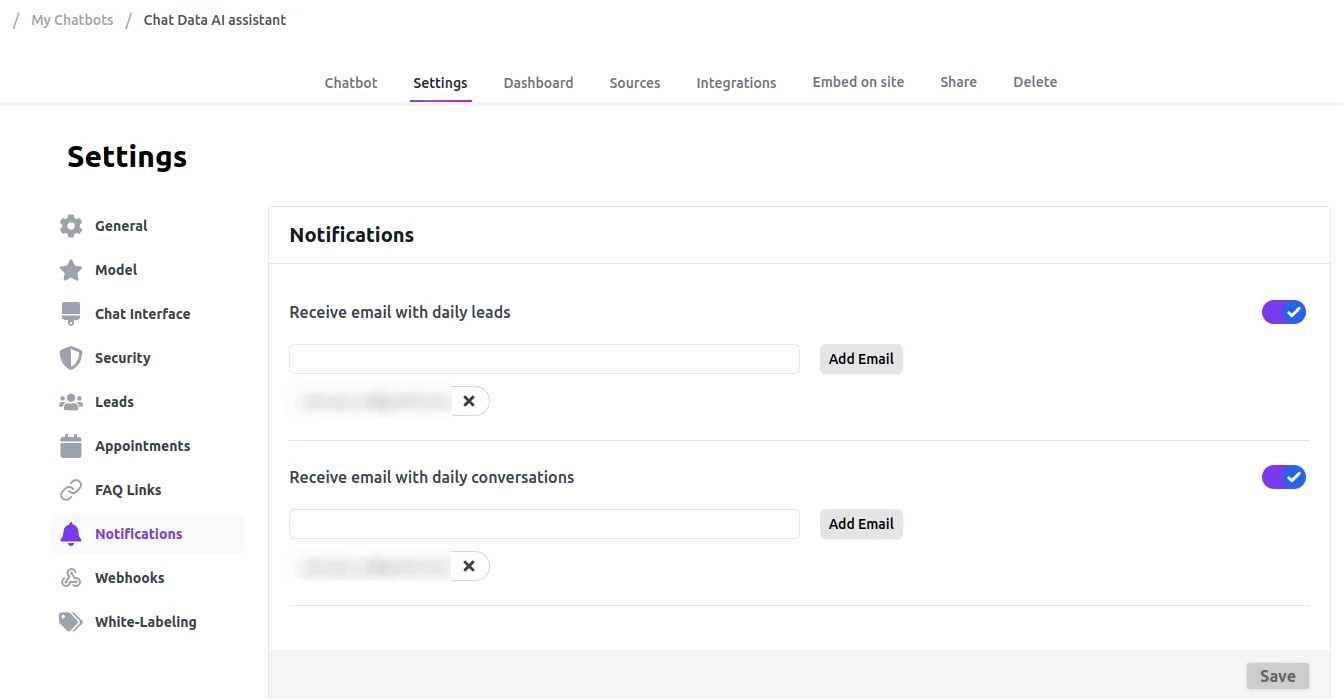
Daily Conversations/Leads Notifications
To enable daily email notifications of conversations and leads, configure the settings at this URL: https://www.chat-data.com/chatbot/{chatbotId}/settings/notifications. Notifications are sent daily at 00:00 UTC.
Weekly/Monthly Summary Notifications
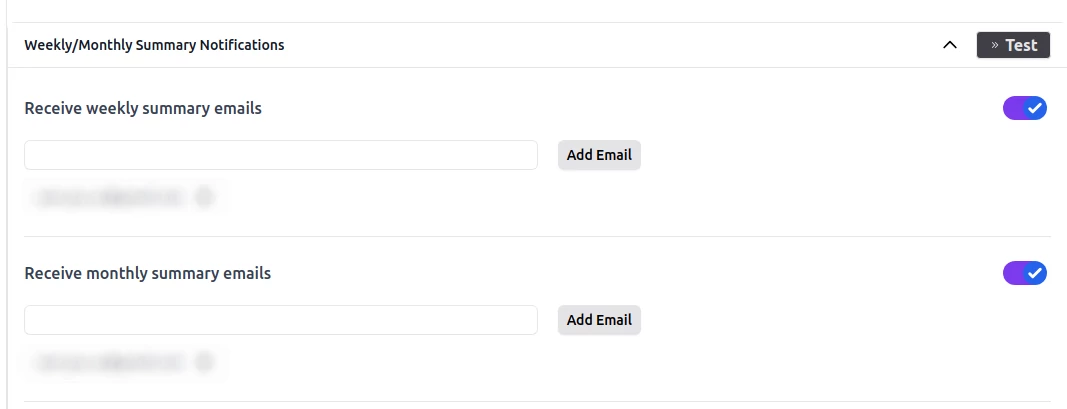
If you want to receive a weekly digest email of the statistical metrics of your chatbot, you can add your email address to the Weekly/Monthly Summary Notifications section. We will send you the following aggregated metrics for the past week or month:
- Total conversations
- Total leads
- Total messages
- Total messages per day
- Total leads per day
- Top 10 most frequently asked topics
You can also manually trigger those emails by clicking the Test button to get a notification instantly.
Important Insight
Each chatbot can send up to 5 email notifications for conversations and up to 5 email notifications for lead generations daily, totaling a maximum of 10 emails per day.
Frequently Asked Questions
What is included in the weekly or monthly summary emails?
The summary emails include total conversations, total leads, total messages, total messages per day, total leads per day, and the top 10 most frequently asked topics for the selected period.
Is there a limit on how many notification emails a chatbot can send each day?
Yes. Each chatbot can send up to 5 conversation notification emails and up to 5 lead notification emails per day, for a maximum of 10 emails daily.