
Advanced Features
Multiple Conversations
You can enable multithread conversations in the Settings > Chatbot Interface setting. After enabling this feature, the end customer can switch between chat threads without losing context, improving multitasking and efficiency.
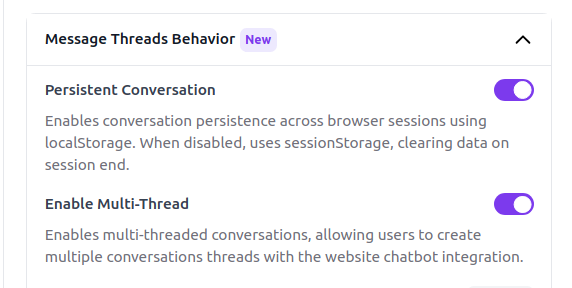
We recommend enabling the persistent conversation options as well when you enable the multithread conversations feature, so that all conversations are retained in the user's browser across different sessions and tabs.
With the multithread conversations feature, the end customer can:
- Switch between chat threads without losing context
- Search through all conversations across different threads to find the information they need
- Delete any conversation thread at any time
- Receive notifications when a human agent sends a new message while the customer is in the multithread panel

Frequently Asked Questions
Why does the page recommend enabling persistent conversations together with multithreading?
Because persistent conversations keep all threads stored in the user's browser across sessions and tabs, which makes the multithread experience more reliable.
What can end users do once multiple conversations are enabled?
They can switch between chat threads without losing context, search across different threads, delete conversation threads when needed, and receive notifications when a human agent sends a new message while they are in the multithread panel.