
Advanced Features
Internationalization
The chatbot interface lets you customize the initial messages, suggested messages, and other customized texts. By default, all these customized texts are fixed when rendering the chatbot. However, if your chatbot is intended for use on websites for international users, you might want to adapt the chatbot interface to the default browser language of the end user. That is when internationalization can be helpful.
Setup Internationalization
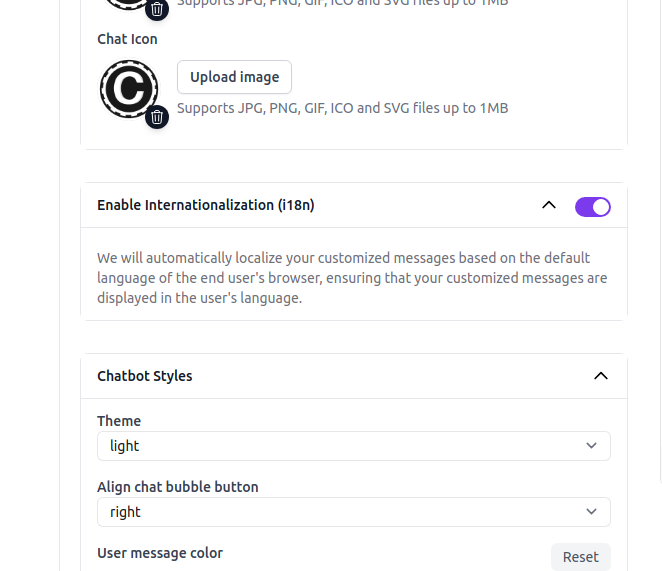
The internationalization feature is available for Standard or above plan users only. You can turn it on in the Enable Internationalization(i18n) tab under Settings > Chat Interface.
Example
Below, we show the chatbot interface of our Chat Data chatbot widget in different browser language settings - Spanish, Chinese and French respectively: 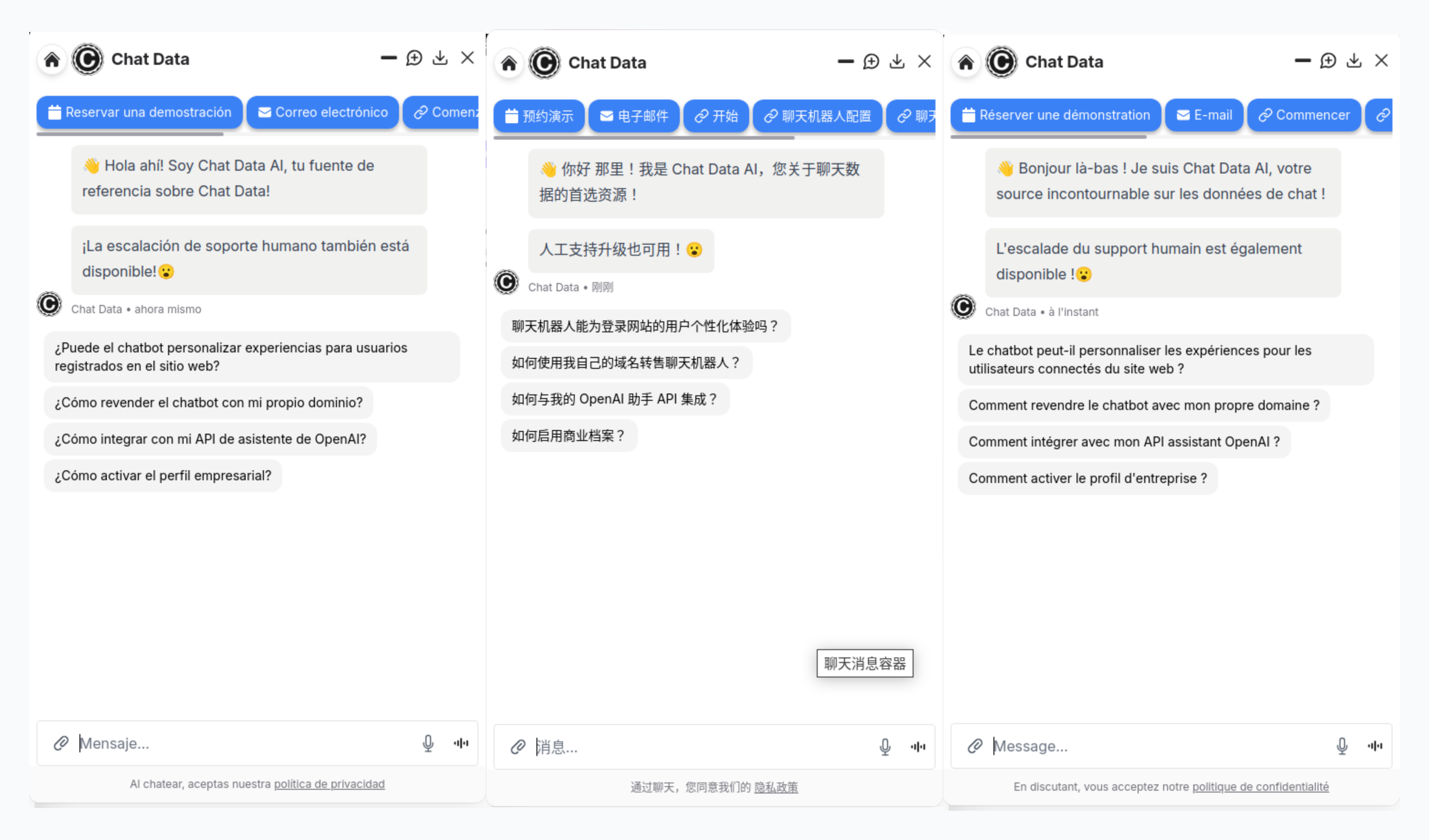
Languages Support
Our internationalization feature currently supports the following languages. If you require additional language support, please reach out to our team. We have the capability to implement virtually any locale based on your needs.
- English (United States) - en-US
- Chinese (Simplified) - zh-CN
- Spanish (Spain) - es-ES
- French (France) - fr-FR
- German (Germany) - de-DE
- Japanese (Japan) - ja-JP
- Portuguese (Brazil) - pt-BR
- Italian (Italy) - it-IT
- Russian (Russia) - ru-RU
- Dutch (Netherlands) - nl-NL
- Korean (South Korea) - ko-KR
- Arabic (Saudi Arabia) - ar-SA
- Turkish (Turkey) - tr-TR
- Polish (Poland) - pl-PL
- Hindi (India) - hi-IN
- Danish (Denmark) - da-DK
- Finnish (Finland) - fi-FI
- Vietnamese (Vietnam) - vi-VN
- Hebrew (Israel) - he-IL
Frequently Asked Questions
What does internationalization change in the chatbot interface?
It lets the chatbot adapt interface text such as the initial message, suggested messages, and other custom labels to the visitor's browser language instead of always showing one fixed language.
Where do I enable internationalization for a chatbot?
You can turn it on from Settings > Chat Interface in the Enable Internationalization (i18n) tab.
Which languages are supported out of the box?
Support for English, Chinese, Spanish, French, German, Japanese, Portuguese, Italian, Russian, Dutch, Korean, Arabic, Turkish, Polish, Hindi, Danish, Finnish, Vietnamese, and Hebrew.