
Advanced Features
Set Up Calendly In Chatbots
Integrate a Calendly appointment scheduler directly within your chatbot widget or iframe to simplify the appointment scheduling process.
Setup Process
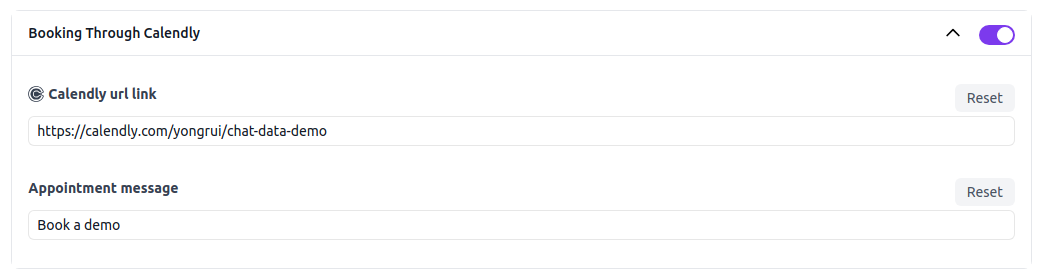
Configure your chatbot's appointment scheduling features by navigating to the following URL: https://www.chat-data.com/chatbot/{chatbotId}/settings/appointments. On this page, you can set up your Calendly appointments using the following parameters:
- Turn on scheduling: Activating this setting will display the appointment scheduler as the initial interaction option at the top of the chatbot when embedded in a website as a widget or iframe.
- Calendly URL link: This is the booking URL associated with Calendly.
- Appointment message: This is the custom message displayed on the appointment button.
Frequently Asked Questions
What happens when I turn on scheduling in the chatbot?
Turning on scheduling shows the appointment scheduler as the initial option at the top of the chatbot when the chatbot is embedded as a widget or iframe.