
Advanced Features
IP Blocklist and Allowlist Security
Manage your chatbot's security and access control through IP-based blocklists and allowlists. This feature helps you:
- Block malicious users and prevent spam
- Restrict access to specific countries
- Limit usage to authorized networks (e.g., company IP ranges)
How Blocklist and Allowlist Works
The blocklist and allowlist system follows this logic:
Blocklist Check:
- First, we check if the user's IP address or country is in the blocklist
- If found in blocklist → User is blocked from accessing the chatbot
- If not in blocklist → Continue to allowlist check
Allowlist Check:
- If allowlist is empty → All users are allowed (not in blocklist)
- If allowlist has entries:
- User must be in allowlist to access chatbot
- Even if in allowlist, user is still blocked if they are in blocklist
Block all external users
To block all external users, make your chatbot private instead of using blocklist/allowlist.
How to Set Up Blocklist and Allowlist
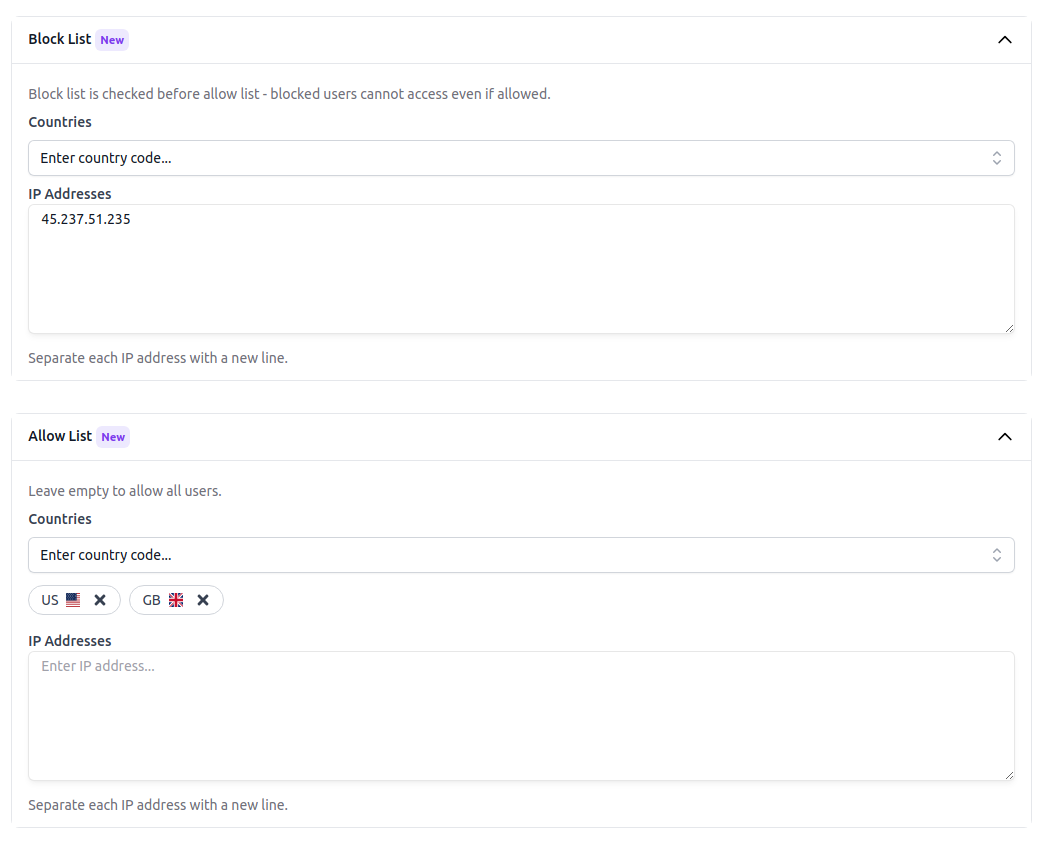
You can go to the Settings page and select the Security tab to add your blocklist and allowlist as shown below.
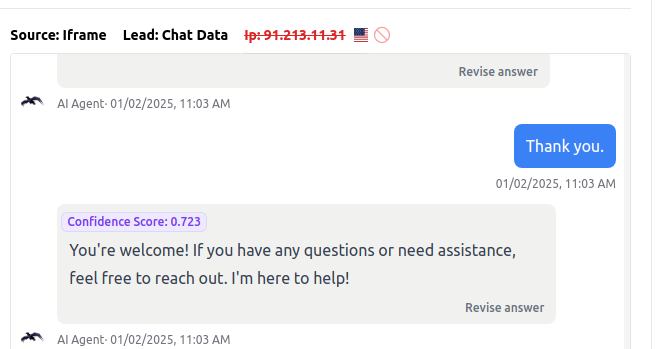
Or you can directly block or unblock certain IP addresses directly in the Chat Logs dashboard, Leads dashboard, and Live Chat dashboard where the IP address is shown.
Frequently Asked Questions
What can I use the IP blocklist and allowlist for?
You can use it to block malicious users, reduce spam, restrict access by country, or limit chatbot usage to approved IP ranges such as internal company networks.
Which list takes priority if an IP appears in both the blocklist and allowlist?
The blocklist takes priority. Chat Data checks the blocklist first, so a user is blocked immediately if their IP address or country matches it, even if they are also included in the allowlist.
What happens when my allowlist is empty?
If the allowlist has no entries, any user who is not blocked is allowed to access the chatbot.
Where can I manage blocked or allowed IP addresses?
You can add and edit blocklist and allowlist entries in Settings > Security. You can also block or unblock IP addresses directly from the Chat Logs, Leads, and Live Chat dashboards where the IP is shown.