
Advanced Features
Topics of User Messages
When the number of messages is large, you want to categorize the messages into different topics so that you can better understand user behavior, understand what users want to know most about your business, and improve the chatbot's performance on the most common topics. To do this, we run a cron job to periodically classify user messages into different topics and show the topics by timeline or pie chart.
Topics of User Messages
The topics of user messages are classified by the selected list of topics. We have curated 50 topics covering all industries and run a cron job which finishes every 24 hours to classify user messages into the selected topics.
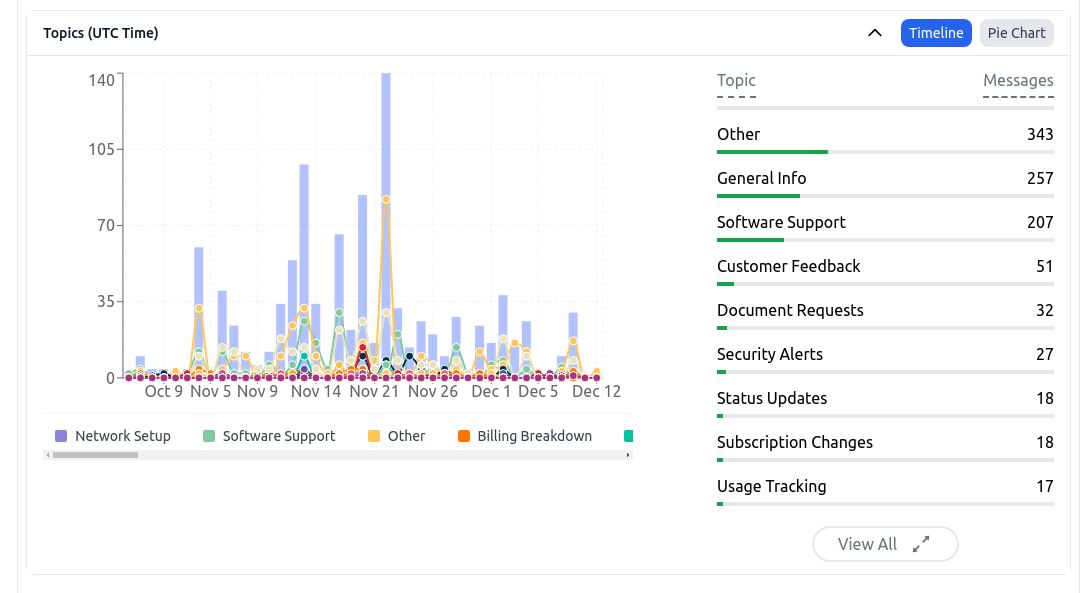
The topics are shown in the Analysis Dashboard and can also be emailed to you via the weekly/monthly summary email.
Topic Updates
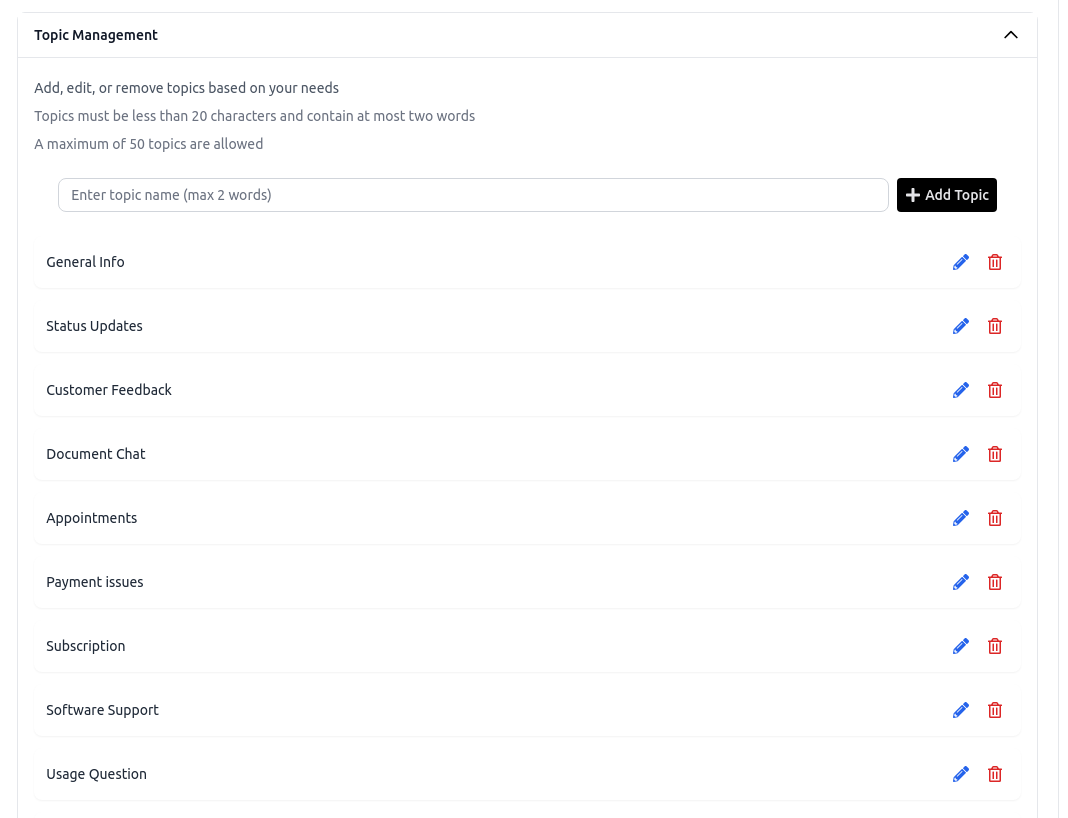
You can update the list of topics in the Settings > Analysis tab to narrow down the topics to match your business. This will add granularity to the topics classification and improve the accuracy of the classification.
Frequently Asked Questions
How are user messages grouped into topics in Chat Data?
Chat Data classifies messages using a selected list of topics and runs a cron job that completes every 24 hours to assign messages to those topics.
Where can I view the classified message topics?
The topics appear in the Analysis Dashboard and can also be included in the weekly or monthly summary email notifications.
Can I customize the topic list for my business?
Yes. you can update the topic list in Settings > Analysis so the categories better match your business and improve classification granularity and accuracy.