
Advanced Features
Response Formats: Markdown vs. Interactive UI
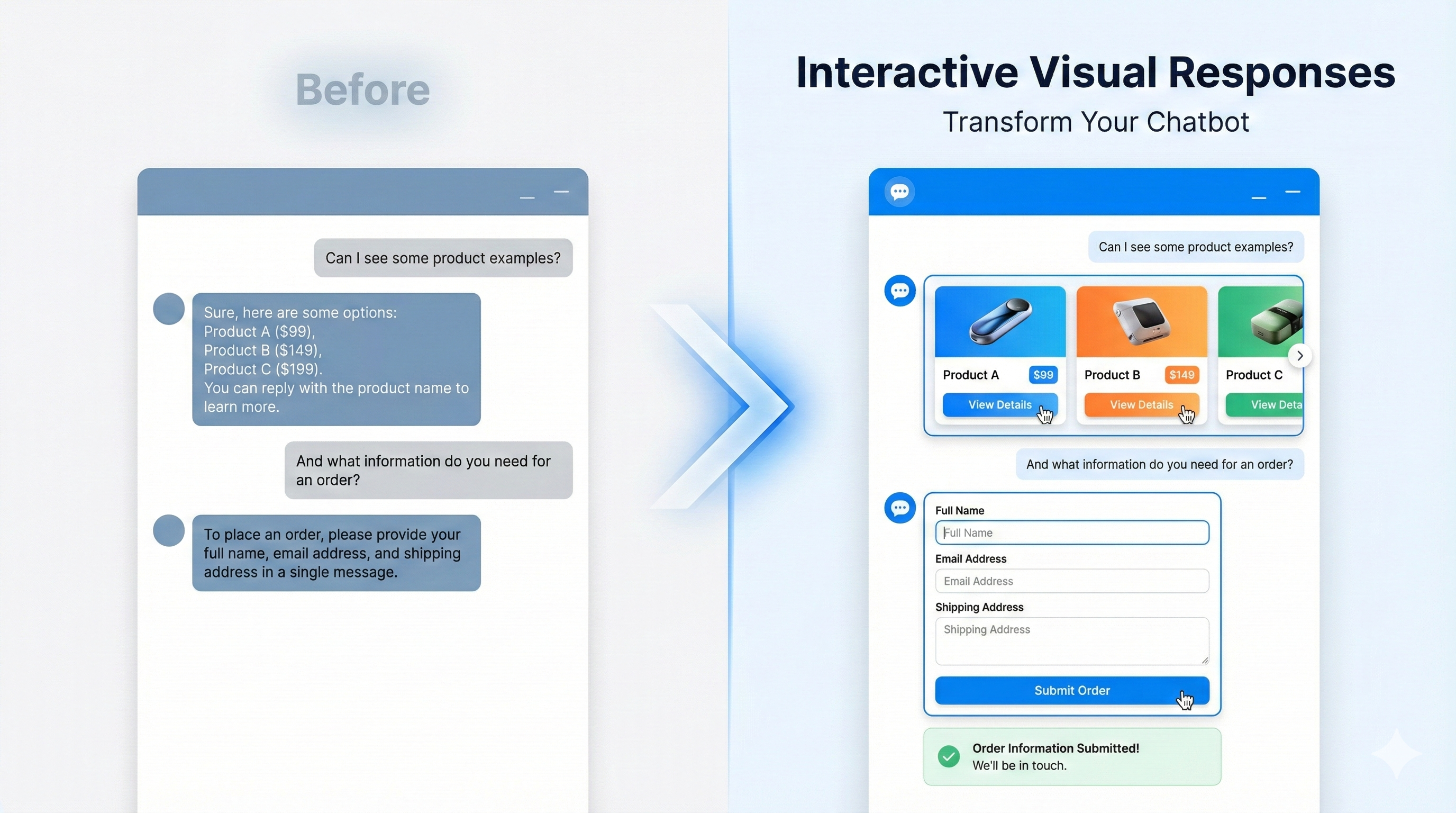
Chat Data supports two primary ways for your chatbot to respond to users: Text-based (Markdown) and Interactive Visual Responses (UI). Understanding when to use each allows you to create the most engaging experience.
Text-based Responses (Markdown)
This is the default mode for most chatbots. Responses are generated as text, supporting standard Markdown formatting.
Features
- Rich Text: Bold, italics, lists, and headers.
- Links: Clickable hyperlinks.
- Code Blocks: Formatted code snippets.
- Simplicity: Works universally across all platforms and integrations.
Best for: General conversation, Q&A, explanations, and simple text-based guidance.
Interactive Visual Responses (UI)
Launched December 2025
This mode allows your chatbot to render rich, interactive graphical components directly in the chat interface.
Features
- Forms: Input fields, dropdowns, and checkboxes for structured data collection.
- Cards & Carousels: Visually appealing ways to display products, articles, or profiles.
- Action Buttons: One-click actions to trigger workflows or open links.
- Real-time Data: Display dynamic tables, charts (if supported), and status dashboards.
Best for: E-commerce, lead generation, booking appointments, and complex data presentation.
Platform Support
- Website Widget: Full support for all interactive components.
- Messaging Apps (WhatsApp, Slack, etc.): Automatically falls back to text-based representations to ensure functionality.
How to Configure
You can control the response format globally or per workflow.
Global Configuration
To set the default behavior for your entire chatbot:
- Go to Settings > Model Configuration (or AI Settings).
- Locate the Response Format option.
- Select Text-based or Interactive.
Specific Workflows
You can mix and match formats within a workflow:
- Use standard LLM blocks for text responses.
- Use the Dynamic UI Composer block specifically when you need to render a visual component.
This hybrid approach gives you the flexibility to "show" when necessary and "tell" when appropriate.
Frequently Asked Questions
What response formats does Chat Data support?
Chat Data supports two main response modes: text-based Markdown replies and interactive UI replies. Markdown is the default text format, while interactive UI is designed for richer visual components inside the chat interface.
When should I use Markdown responses instead of interactive UI?
The guide recommends Markdown for general conversation, Q&A, explanations, and simple text guidance. It also notes that Markdown works universally across all platforms and integrations, which makes it the safest default format.
What can interactive UI responses do in Chat Data?
Interactive UI responses can render structured visual components directly in the chat, including forms, cards, carousels, action buttons, and real-time data displays. them as especially useful for e-commerce, lead generation, appointment booking, and more complex presentations.
How do I configure the response format for my chatbot?
You can configure response format globally in `Settings` under `Model Configuration` or AI settings by selecting `Text-based` or `Interactive`. It also explains that workflows can mix both modes by using standard LLM blocks for text and the `Dynamic UI Composer` block when a visual component is needed.